
SSD Upgrade & Installation in Varanasi
Looking for SSD Upgrade in Varanasi? Ajey Computer, Sunderpur provides SSD installation, upgrade, cloning and setup support for compatible laptops and desktop computers.
Whether your computer feels slow, takes too long to start, or needs a storage upgrade, we can help you choose an SSD according to your system and usage.
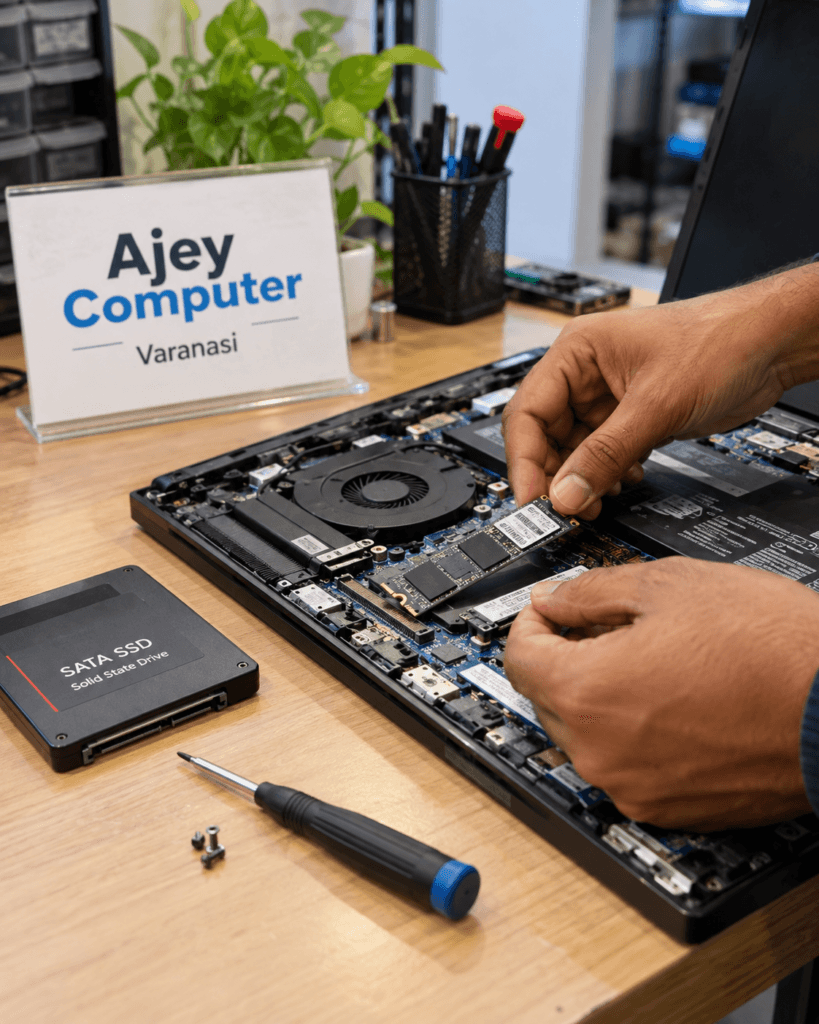
Buy SSD for Laptop or Desktop in Varanasi
Looking for an SSD for your laptop or desktop? Ajey Computer can help you choose a compatible SSD based on your computer model, storage requirement and budget. We can also assist with installation and setup.
Upgrade Your Computer with a Faster SSD
An SSD can make everyday computer use noticeably more responsive compared with an older mechanical hard drive. Faster boot times, quicker application loading and smoother file access are some of the common reasons people choose an SSD upgrade.
At Ajey Computer in Sunderpur, Varanasi, we help customers select a suitable SSD for laptops and desktop computers based on compatibility, storage requirements and budget.
Our SSD Services in Varanasi
SSD Installation
We install compatible SSDs in laptops and desktop computers and configure the system properly after installation.
SSD Upgrade
Upgrade an older hard drive or replace an existing storage drive with a suitable SSD for improved everyday performance.
SSD Cloning
Want to keep your existing Windows installation and files? We can help with SSD cloning where the system and drive configuration support it.
SSD Setup & Configuration
After installation, we can configure Windows, check storage detection and make sure the new drive is working correctly.
SATA SSD or NVMe SSD – Which One Do You Need?
Not every laptop or desktop supports every type of SSD. Before purchasing an SSD, it is important to check the available slot, interface and system compatibility.
| SSD Type | Common Use | Main Benefit |
|---|---|---|
| 2.5-inch SATA SSD | Older laptops & desktops | Simple upgrade from HDD |
| M.2 SATA SSD | Compatible M.2 systems | Compact storage solution |
| M.2 NVMe SSD | Compatible modern PCs & laptops | High-speed storage |
| External SSD | Backup & portable storage | Fast portable file access |
M.2 is a physical form factor; SATA and NVMe are different storage interfaces. Always check your computer’s specifications before purchasing an M.2 SSD.
Not sure which SSD will work with your computer?
Bring your laptop or desktop to Ajey Computer and we can check compatibility before the upgrade.
Why Upgrade from HDD to SSD?
Faster Startup
Windows can start more quickly with a suitable SSD.
Quicker Applications
Programs and commonly used files can load faster.
Better Responsiveness
Everyday tasks can feel smoother compared with an aging HDD.
No Moving Parts
Unlike traditional hard drives, SSDs use flash storage without spinning platters.
Compact Options
M.2 SSDs provide a small storage form factor for compatible devices.
Better Everyday Experience
An SSD upgrade can be a practical way to improve an older computer without replacing the entire system.
SSD Upgrade for Laptop in Varanasi
For SSD Upgrade in Varanasi, If your laptop has become slow over time, upgrading its storage may be worth considering. We first check the laptop model and existing storage configuration to determine which SSD options are compatible.
SSD upgrades can be useful for:
- Slow laptop startup
- Long application loading times
- Older HDD-based laptops
- Limited or aging storage
- Windows performance improvement
- Replacing a failing storage drive
SSD Upgrade for Desktop Computer
Desktop computers can often be upgraded with SATA or NVMe SSDs depending on the motherboard and available connectors.
Ajey Computer can help with SSD selection, installation, Windows setup, cloning and storage configuration for compatible desktop systems.
Need help choosing an SSD? Call Ajey Computer (AJEY INDIA)
For SSD Upgrade in Varanasi, contact Ajey Computer for compatible desktop SSD options and installation support.
SSD Cloning Service in Varanasi
Already have Windows, applications and important files on your existing drive?
Where the hardware and storage configuration allow it, SSD cloning can transfer your existing system to the new SSD so you can continue using your setup without starting everything from scratch.
Before cloning, we check the source drive, available SSD capacity and system configuration.
Existing Windows + New SSD? Ask us about SSD cloning before installation.
Before Installing an SSD, We Check
✓ Laptop or desktop model
✓ Available SATA or M.2 slot
✓ SATA/NVMe compatibility
✓ Required storage capacity
✓ Existing drive condition
✓ Windows and data migration requirements
The right SSD depends on your computer—not just the advertised speed.
SSD Upgrade in Varanasi – Service in Sunderpur
Ajey Computer is located in Sunderpur, Varanasi and provides SSD installation, storage upgrades and computer hardware support for customers from Sunderpur, BHU, Lanka and nearby areas.
Sunderpur • BHU • Lanka • Assi • Nagwa • Durgakund • Bhelupur • Mahmoorganj • Sigra and nearby areas
For compatibility and availability, contact us before visiting.
Is Your Computer Running Slow?
If your computer takes a long time to start, applications open slowly or the old hard drive is becoming unreliable, an SSD upgrade may be one option to consider.
However, slow performance can also be caused by insufficient RAM, software problems, overheating, malware or other hardware issues.
We can check the computer first and suggest the appropriate upgrade instead of replacing hardware unnecessarily.
Frequently Asked Questions About SSD
Will an SSD make my old laptop faster?
In many cases, replacing an older HDD with a compatible SSD can significantly improve startup and application loading. The actual improvement depends on the laptop’s processor, RAM, operating system and overall condition.
Can you install an SSD in any laptop?
No. SSD compatibility depends on the laptop’s model, available slot and supported interface. We recommend checking the laptop before purchasing an SSD.
Can I keep my existing Windows installation?
In compatible systems, cloning can be used to transfer the existing Windows installation and data to the new SSD.
Which is better, SATA SSD or NVMe SSD?
NVMe SSDs can offer higher performance than SATA SSDs, but the best option depends on whether your computer supports NVMe and what you actually need from the system.
Can I upgrade my desktop with an SSD?
Yes, many desktops can be upgraded with SATA or NVMe SSDs, depending on the motherboard and available connections.
Do you provide SSD installation in Varanasi?
Yes. Ajey Computer, Sunderpur provides SSD installation and upgrade support for compatible laptops and desktop computers.
Should I buy the SSD myself or ask you?
You can do either. If you are unsure about compatibility, it is better to check the computer model and storage interface before purchasing.
How much does an SSD upgrade cost in Varanasi?
The cost depends on the SSD capacity, type, brand, installation requirements and whether data or Windows needs to be transferred. Contact Ajey Computer for current SSD options and installation charges.
Ready to Upgrade Your Laptop or Desktop?
Bring your computer to Ajey Computer, Sunderpur, Varanasi. We can check compatibility and help you choose the right SSD for your system.
Need SSD Upgrade in Varanasi? Bring your laptop or desktop to Ajey Computer, Sunderpur.
Why Choose Ajey Computer?
Local Computer Store
Based in Sunderpur, Varanasi.
Technical Guidance
We help you choose hardware according to your computer and requirements.
Upgrade Support
SSD, RAM and other computer hardware upgrades.
After-Sales Support
Installation and configuration assistance after purchase.
SSD Upgrade in Varanasi – Ajey Computer, Sunderpur
Looking for an SSD for your laptop or desktop in Varanasi? Ajey Computer in Sunderpur provides SSD sales and upgrade support along with computer hardware and technical services.
Whether you need a SATA SSD, M.2 SSD or NVMe SSD, the first step is to check whether the drive is compatible with your computer.
Contact Ajey Computer for SSD availability, compatibility checking, installation and upgrade assistance.
Ajey Computer (AJEY INDIA)
Sunderpur, Varanasi, Uttar Pradesh
Phone: 7618020000